 US | en


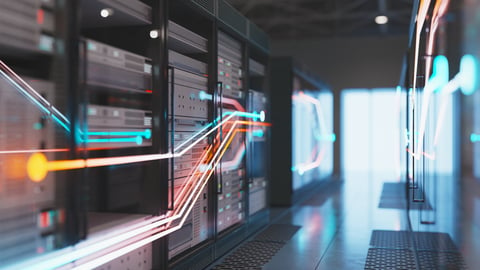
Every time you open a website, download a file, or stream a video, data travels an incredible journey in milliseconds. But how exactly does it move from a data center server to your computer? Let’s break it down.
1. It Starts in a Data Center
Companies host most websites and applications in large facilities called data centers. Companies like Amazon Web Services, Microsoft Azure, and Google Cloud operate massive networks of servers around the world.
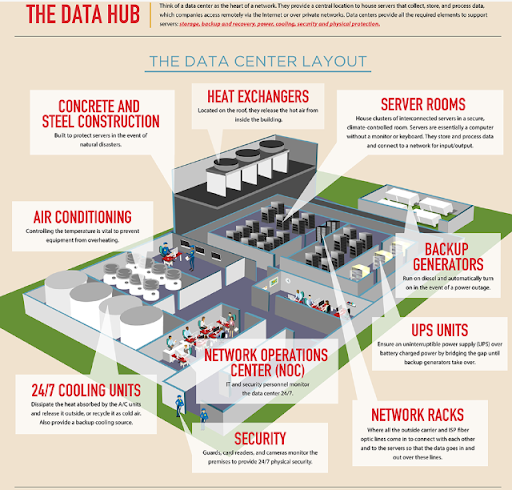
Inside these facilities:
- Servers store website files, databases, and applications.
- High-speed networking equipment connects everything.
- Redundant power and cooling systems keep operations running 24/7.
When you type a website address into your browser, you’re essentially requesting data from one of these servers.
 coolinfographics.com
2. Your Request Is Routed Through the Internet
Before data can come back to you, your computer first sends out a request.
Here’s what happens:
- DNS Lookup – Your computer asks a Domain Name System (DNS) server to translate a website name (like dixonvalve.com) into an IP address.
- Routing Begins – Your request travels through your Internet Service Provider (ISP).
- Backbone Networks – The request moves through major fiber optic backbone networks that connect cities, states, and even continents.
Think of it like a highway system:
- Local roads = your home network
- Regional highways = your ISP
- Interstate highways = global fiber backbone
3. Fiber Optic Cables Carry the Data
Most long-distance internet traffic travels through fiber optic cables. These cables transmit data as pulses of light at incredibly high speeds.
In fact:
- Data can travel close to the speed of light.
- Undersea fiber cables connect continents.
- Terrestrial fiber connects cities and neighborhoods.
This physical infrastructure is what makes the digital world possible.
4. The Server Responds
Once your request reaches the correct data center server:
- The server processes the request.
- It retrieves the requested data (web page, image, video, file, etc.).
- It breaks the data into small packets.
- The system sends those packets across the network to your device.
This process uses standardized communication protocols such as TCP/IP, ensuring that data arrives accurately and in the correct order.
5. Your Computer Reassembles the Data
When the data packets arrive at your computer:
- Your operating system reassembles them.
- Your browser interprets the code (HTML, CSS, JavaScript).
- The website appears on your screen.
All of this typically happens in under a second.
Why It Matters
Understanding how data travels highlights the complexity and reliability of modern infrastructure. Behind every click is:
- Physical hardware
- High-speed networking
- Global routing systems
- Secure protocols
It’s a coordinated system of servers, fiber optics, switches, routers, and software—all working together seamlessly.
Dixon Solutions for Data Center Cooling
Dixon is committed to helping data centers find The Right Connection®. We offer high-quality, proven components designed to optimize heat dissipation and ensure reliable operation.
 Application
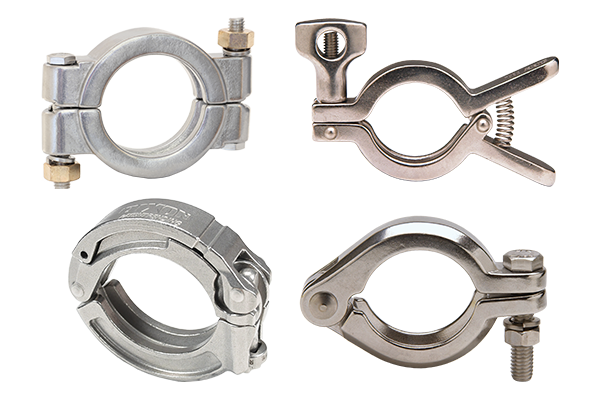
- Critical connection points across liquid cooling loops, maintaining joint integrity under continuous circulation and thermal cycling
Product Offering
- Clever Clamp®
- Heavy duty clamps
- Squeeze clamps
- I-line clamps
Application
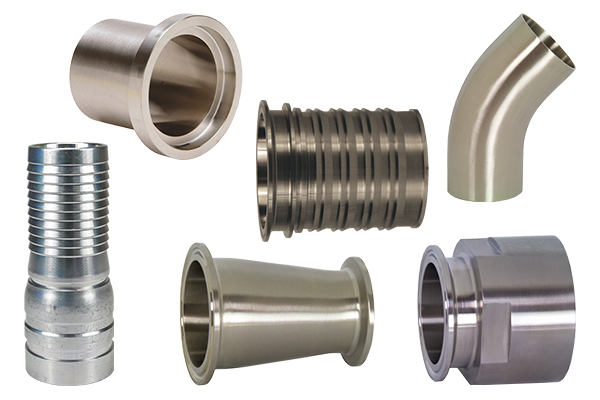
- Support high-performance connections in data center cooling systems, suitable for chilled water and glycol circuits
Product Offering
- King Crimp® stems
- Ferrules and sleeves
- Combination nipples
- Clamp, weld, and I-line connections
- Ferrules, tees, elbows, reducers, and adapters
Application
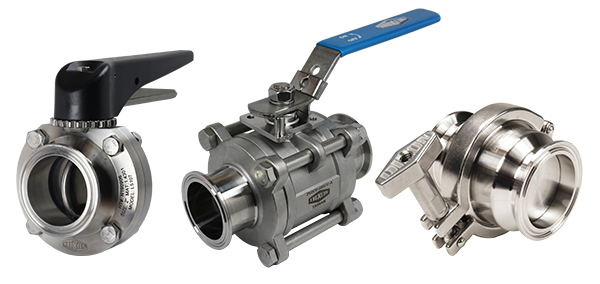
- Regulate and control fluid flow across data center cooling loops and utility water systems while maintaining stable circulation throughout
Product Offering
- Butterfly valves
- Ball valves
- Check valves
 Application
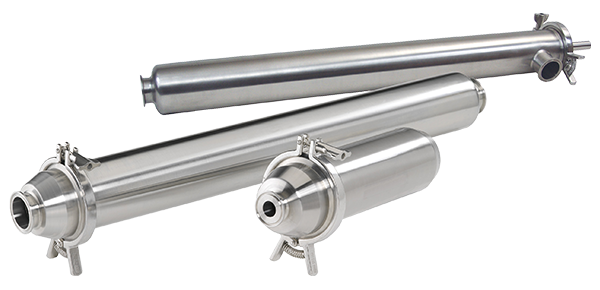
- Remove particulates from water or glycol-based fluids to maintain consistent flow and prevent damage to pumps, heat exchangers, and valves
Product Offering
- Inline
- Side entry
- Side outlet
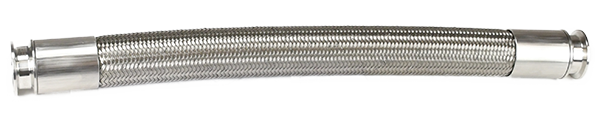
Specialty Hose Assemblies
Application
- Support reliable fluid transfer for water, glycol, chemicals, and other compatible media
Product Offering
- PTFE convoluted hose
Application
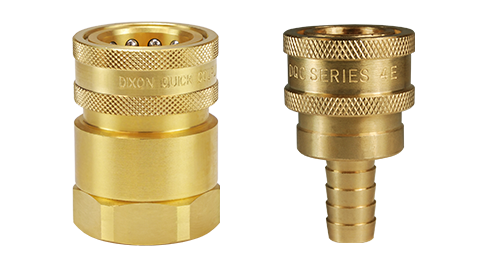
- Support clean, efficient connection and disconnection of liquid-cooling circuits while minimizing fluid loss during service operations
Summary
The next time you load a webpage, remember that information may have traveled hundreds or thousands of miles as pulses of light before appearing instantly on your screen.
For more information about Dixon’s data center solutions, visit dixonvalve.com or call 877.963.4966.